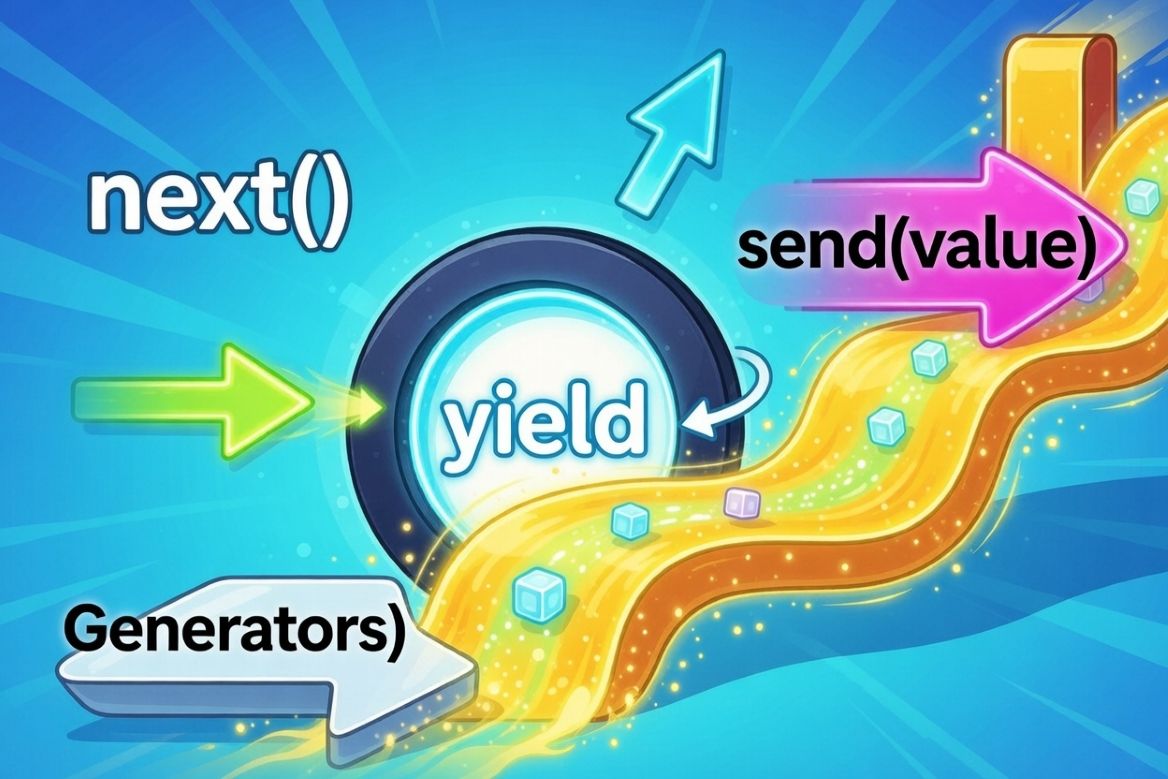
Python Generators: The Secret to Efficient Iteration
Have you ever come across a need to create iterators to process a large datasets or for streaming data in a concise and memory efficient manner? As a simple example, imagine you need to process 1 Billion numbers. The naive way to doing this would be something as shown below.
# Create a list with the given size in memory
def get_numbers(n):
    numbers = []
    for i in range(n):
        numbers.append(i) # Remember, appending here is going to explode the memory!!
    return numbers

numbers = get_numbers(1000000000)  # Happily eats ~8GB of RAM!
for num in numbers:
    print(num)
Although the above code looks simple, do the job(not always) and easy to understand for anyone with basic python knowledge, it is goind to eat ~ 8Gb of your computer’s RAM. The reason is this created a list of billion numbers at first. But trust me, there is a way more efficient way to do this using one of the most powerful feature of Python!
Understanding Python Generators
Python generators are a powerful feature that allows us to create iterators in concise and memory efficient way to make our code more performant. At the core of it, generators are iterators that produce values lazily- i.e: it does not store the entire sequence in memory at once, rather it produces one at a time! Sounds simple? yeah it is!
Due to the power of Generators, we can handle extremely large or even infinite sequences without killing the memory. In addition, this make our code minimalist and cleaner than having to use classes with iterators. There are to main ways to create generators in Python:
- Generatore function
- Generator expressions
1. Generator functions
Despite generator function looks like a normal function, there is a key game changer element that makes the diffence - yield instead of return. Let’s compare below two functions
def with_return():
    print("Starting")
    return 1
    print("This never runs")
    return 2

# Return: runs once, gives one value, done
result = with_return()
print(type(result)) # <class 'int'>

print(result)  # 1
In the above code, the python interpreter never reaches the codes after return 1 stage and with_return function will always return 1. But we can change this with yield keyword.
def with_yield():
    print("Starting")
    yield 1
    print("Between yields")
    yield 2
    print("Ending")
    yield 3

gen = with_yield()
print(type(gen))  # <class 'generator'>  -- Note this is of type generator!

print(next(gen))  # Starting, then prints 1
print(next(gen))  # Between yields, then prints 2
print(next(gen))  # Ending, then prints 3
As you can see in above, yield produces a value and pauses the function and it resumes back from where it left of when we call next() on that. We could run a for loop on the above generator as well.
gen = with_yield()
for i, val in enumerate(gen):
    print(f"{i}-{val}")

# The output from this is as follows.
# Starting
# 0-1
# Between yields
# 1-2
# Ending
# 2-3
From the output of the above code, you would see that, in the for loop, the progression from one yield to the next has happened with the print statements from the with_yield function.
Lets take a look at another example of a generator that can do countdown of a number
def countdown(n):
    print("Starting countdown")
    while n > 0:
        print(f"About to yield {n}")
        yield n
        print(f"Resumed after yielding {n}")
        n -= 1
    print("Countdown finished")

# Creating the generator doesn't run any code!
gen = countdown(3)
print(f"Generator created: {gen}")
print()

# Each next() call runs until the next yield
print("First next():")
print(next(gen))
print()

print("Second next():")
print(next(gen))
print()

print("Third next():")
print(next(gen))
print()

print("Fourth next() - will raise StopIteration:")
try:
    next(gen)
except StopIteration:
    print("Generator exhausted!")


#  Output:
# Generator created: <generator object countdown at 0x...>

# First next():
# Starting countdown
# About to yield 3
# 3

# Second next():
# Resumed after yielding 3
# About to yield 2
# 2

# Third next():
# Resumed after yielding 2
# About to yield 1
# 1

# Fourth next() - will raise StopIteration:
# Resumed after yielding 1
# Countdown finished
# Generator exhausted!
2. Generator expressions
Have you seen list comprehension in Python? It is a minimalist way to create a list. ex:
squares_list = [x*x for x in range(5)]
print(squares_list) # [0, 1, 4, 9, 16] -- we can see the elements of the list because it is fully created in the memory
Generator expressions are like list comprehension, but with parenthesis instead of square brackets. The output is not a list, but a generator object.
squares_gen = (x*x for x in range(5))
print(squares_gen) # <generator object <genexpr> at 0x000001D..> -- we cannot see the elements yet!
In order to see the elements we have to iterate the generator object, because that is only when the objects(int in this case) are added to the collection.
for val in squares_gen:
    print(val)

# output
# 0
# 1
# 4
# 9
# 16
Since generators don’t store all the values in memory its extremely memory efficient. Let’s compare a list with an equivalent generator.
import sys

my_list = list(range(1000000))
my_gen = (x for x in range(1000000))

print(sys.getsizeof(my_list))  # ~8000056 bytes
print(sys.getsizeof(my_gen))   # ~192 bytes
Practical examples of Generators
Let’s have a look at some of the practical examples of Python generators
1. Reading Large files
Sometimes, it is not feasible to load the entire large file into the memory to do the processing. Therefore below code is a bad practice
# Bad: Loads entire file into memory
def read_file_bad(filename):
    with open(filename) as f:
        return f.readlines()  # All lines at once
The better way of doing this efficiently is by yielding one line at a time
# Good: Yields one line at a time
def read_file_good(filename):
    with open(filename) as f:
        for line in f:
            yield line.strip()

for line in read_file_good('huge_log.txt'):
    if 'ERROR' in line:
        print(line)
2. Generating infinite sequences
Since generators only produce values on demand, they can generate infinite sequences without causing MemoryError. Example: creating generator for Fibonacci sequence.
def fibonacci(n):
    a, b = 0, 1
    for _ in range(n):
        yield a
        a, b = b, a + b

for num in fibonacci(10): # Gets the first 10 numbers from the Fibonacci sequence
    print(num)
3. Pipelining Data Processing
You can chain multiple generators together to create a data processing pipeline without having to store data for each stage separately. This is a highly memory efficient way of processing data. Shown below is an example to filter Error logs from a huge log file without compromosing memory - because of the use of generatore, the memory usage is constant regardelss of the size of the log file.
def read_logs(filename):
    """Stage 1: Read lines from file"""
    with open(filename) as f:
        for line in f:
            yield line.strip()

def parse_logs(lines):
    """Stage 2: Parse each line into dict"""
    for line in lines:
        parts = line.split('|')
        if len(parts) == 3:
            yield {
                'timestamp': parts[0],
                'level': parts[1],
                'message': parts[2]
            }

def filter_errors(logs):
    """Stage 3: Filter only ERROR level"""
    for log in logs:
        if log['level'] == 'ERROR':
            yield log


# Chain generators together - processes one item at a time!
pipeline = filter_errors(
                parse_logs(
                    read_logs('app.log')
                )
            )

# Only now does processing happen, one item at a time
for error in pipeline:
    print(error)
4. Convenient alternative to write iterators
Have a look at below iterator class to do a countdown
class Countdown:
    """Manual iterator"""
    def __init__(self, start):
        self.current = start

    def __iter__(self):
        """Return the iterator object (self)"""
        return self

    def __next__(self):
        """Return next value or raise StopIteration"""
        if self.current <= 0:
            raise StopIteration

        self.current -= 1
        return self.current + 1

# Use it like any iterable
for num in Countdown(5):
    print(num)  # 5, 4, 3, 2, 1
A Genertor can the same task of the above iterator class in a minimalist way
def countdown(start):
    while start > 0:
        yield start
        start -= 1

for num in countdown(5):
    print(num)  # Same output, way less code!
Advanced Generator Techniques
In all the examples above, you have seen generators yielding values. But there are more advanced techniques to work with generators
1. Delegating with yield from
yield from is a syntax used for delegating the operations of one generator to another. It performs several complex tasks automatically and simplifies the interaction of caller and sub-generator or iterable.
example 1: Flattenning nested iratables
def sub_generator():
    yield 1
    yield 2

def main_generator():
    yield 0
    yield from sub_generator()  # Delegates to sub_generator
    yield from [3, 4]           # Works with any iterable, like a list
    yield from range(5, 9)
    yield 10

print(list(main_generator())) # output [0, 1, 2, 3, 4, 5, 6, 7, 8, 10]
Lets have a look at another example to flatten a nested list
ls = [1, 2, [3, 4], [5, [6, 7, [8, 9], 10], [11, 12]], 13]

def traverse_list(seq):
    for elem in seq:
        if isinstance(elem, list):
            yield from traverse_list(elem)
        else:
            yield elem

for x in traverse_list(ls): # traverse_list returns a generator and upon iteration via the for loop it output the values
    print(x)
example 2: Recursive Tree traversals
def traverse_tree(node):
    if node is not None:
        # Recursively delegate to the left child
        yield from traverse_tree(node.left)
        # Yield the current node's value
        yield node.value
        # Recursively delegate to the right child
        yield from traverse_tree(node.right)

traverse_tree(root) # This will perform Inorder Traversal of a binary search tree
2. Sending values into Generators
In all the above examples, we have seen generators generating values for us. But Generators can receive values as well using send() method. Let’s take a look at an example.
def echo_generator():
    while True:
        received = yield  # Pause and wait for a value
        print(f"Received: {received}")

gen = echo_generator()
next(gen)  # Prime the generator (run to first yield)

gen.send("Hello")   # Received: Hello
gen.send("World")   # Received: World
gen.send(42)        # Received: 42
As you can see, received = yield statement pause the wait for a value until we call gen.send() and continues. Using this pattern, we can create a coroutine to calculate runnig average as below.
def running_average():
    total = 0
    count = 0
    average = None

    while True:
        value = yield average  # Yield current average, receive new value
        total += value
        count += 1
        average = total / count

avg = running_average()
next(avg)  # Priming the generator - i.e advancing it to the first yield expression

print(avg.send(10))   # 10.0
print(avg.send(20))   # 15.0
print(avg.send(30))   # 20.0
print(avg.send(40))   # 25.0
3. close() on Generators
close() can be used to stop a generator early on specific conditions. Internally it raises a special exception called GeneratorExit inside the generator. One example this is useful is to perform resource cleanup.
def file_reader(file_path):
    f = open(file_path)
    try:
        for line in f:
            yield line
    finally:
        print("Closing file")
        f.close()

g = file_reader("test.txt")

print(next(g))
print(next(g))
g.close() # call close() on the generator object causing it to reach the *finally* section inside the file_reader method
Thank you!
I hope you have learned something useful from this blog post that you can direcly apply in your day to day development workflows. Generators in Python is one of the fundemantal and powerful features as it can largely improve the memory utilization and the performance of your applications. I wish you all the very best for your projects!